Lesson 4/18 — A working Formula is where you develop composition and process requirements. A saved Formula Version preserves the reference you will use in a Product and production Batch.
Before you start
Three saved Ingredients from lesson 2. The lots from lesson 3 will be selected at production time.
Enter your first formula
- Open Formulas → Add formula. Set title DEMO — Body Oil Training and status Draft. Add a description stating that this is training data.
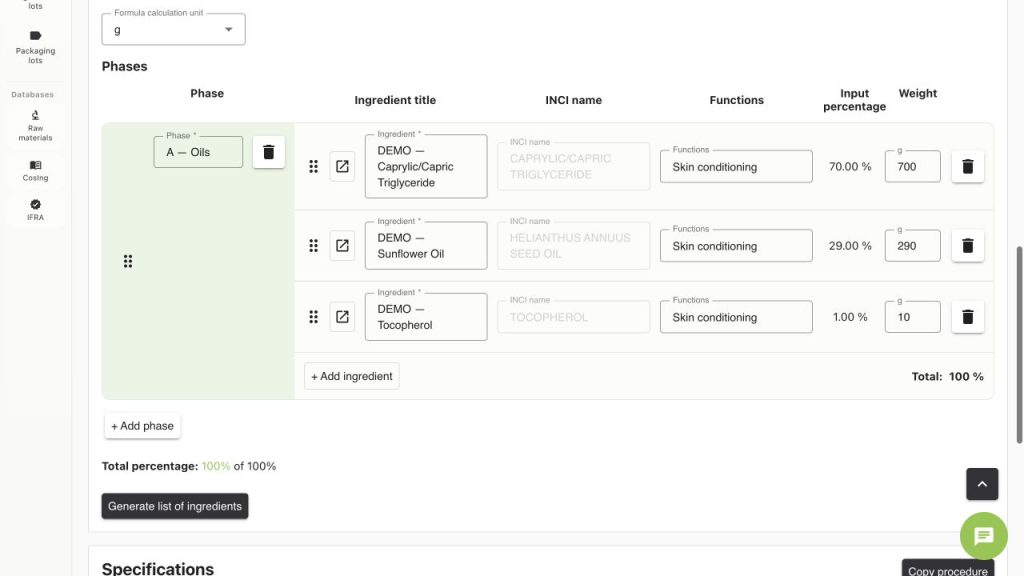
- Choose Cosmetics and calculation unit g. Add phase A — Oils.
- Use + Add ingredient to select the three saved Ingredients. The linked INCI should come from the selected record.
- For the 1 kg calculation enter weights 700 g, 290 g and 10 g. The current screen calculates 70%, 29% and 1%. Confirm Total percentage: 100% of 100%.
- Record the manufacturing method and procedure, equipment requirements and any relevant measured specifications. Separate requirements from the actual measurements that will be made on a Batch.
- Use Notes and Files for development evidence. Wait for Changes saved automatically and reopen the record to check the composition.
Check the arithmetic
| Material | Formula % | 1,000 g pilot | 25,000 g scale example |
|---|---|---|---|
| Caprylic/Capric Triglyceride | 70% | 700 g | 17,500 g |
| Sunflower Oil | 29% | 290 g | 7,250 g |
| Tocopherol | 1% | 10 g | 250 g |
| Total | 100% | 1,000 g | 25,000 g |
Review the analysis without inventing an approval
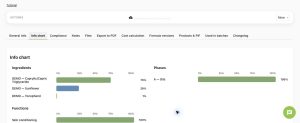
Open Info chart to inspect the composition and Compliance for available checks. Review missing data, unavailable checks and supplier composition before relying on a result. A match or a zero-failure count is not product approval. This course teaches the controls; it does not supply a safety assessment.
Save the baseline
- Open Formula versions.
- Enter a Version note such as “Training baseline — 70/29/1; no safety approval”. Choose the IFRA product category appropriate to the real intended use; the demo saved C4 as an example, not a category determination for another product.
- Select Save new version. Confirm Version 1 · Up to date.
- Use View to inspect a saved version or comparison. If you change the working formula later, save a new controlled version; do not assume Product Version 1 changes with it.
- In the next lesson use Create product from this version. The selected saved version is the link between development and the sellable product definition.
Common mistakes
- Starting a commercial batch from an unnamed or incomplete working formula.
- Confusing a raw-material INCI percentage with its input percentage in the finished formula.
- Changing a process requirement and forgetting to save a new baseline.
- Assuming that mathematical scaling to 25 kg proves the process is validated at that size.
Worked examples in the application
Click any screenshot to read it at full size. All DEMO records are fictional local examples.
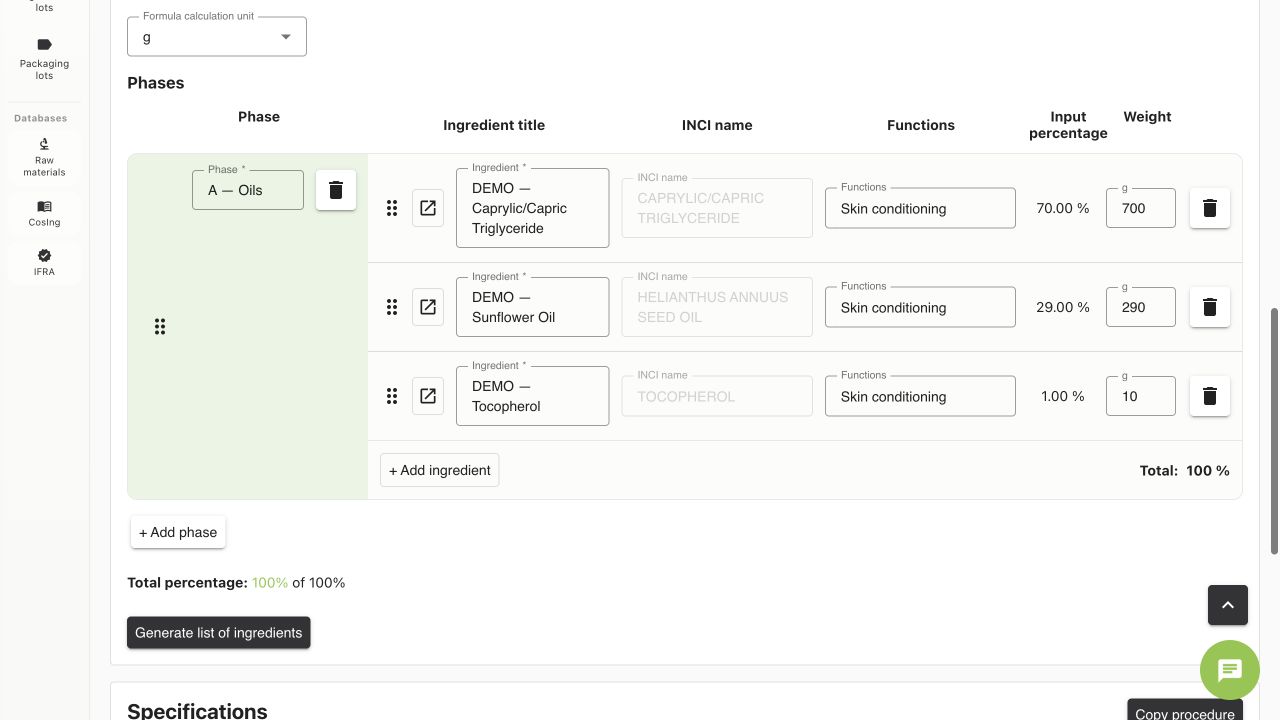
Expected result
Your saved working formula totals 100%, and Formula Version 1 is available to create a Product. The baseline has no asserted safety approval.