Lesson 12/18 — Read the pair, evidence and process conditions before changing the formula.
Before you start
A saved formula with its actual pH, temperature and procedure where known.
Review the pairs
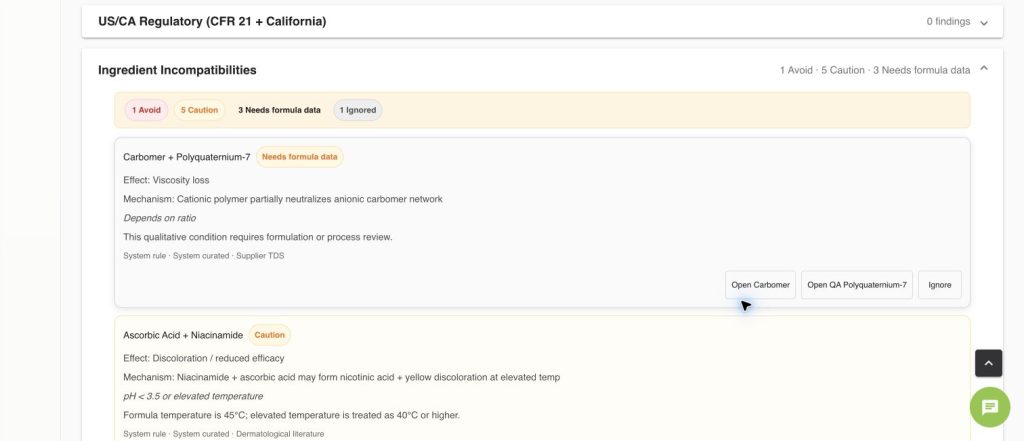
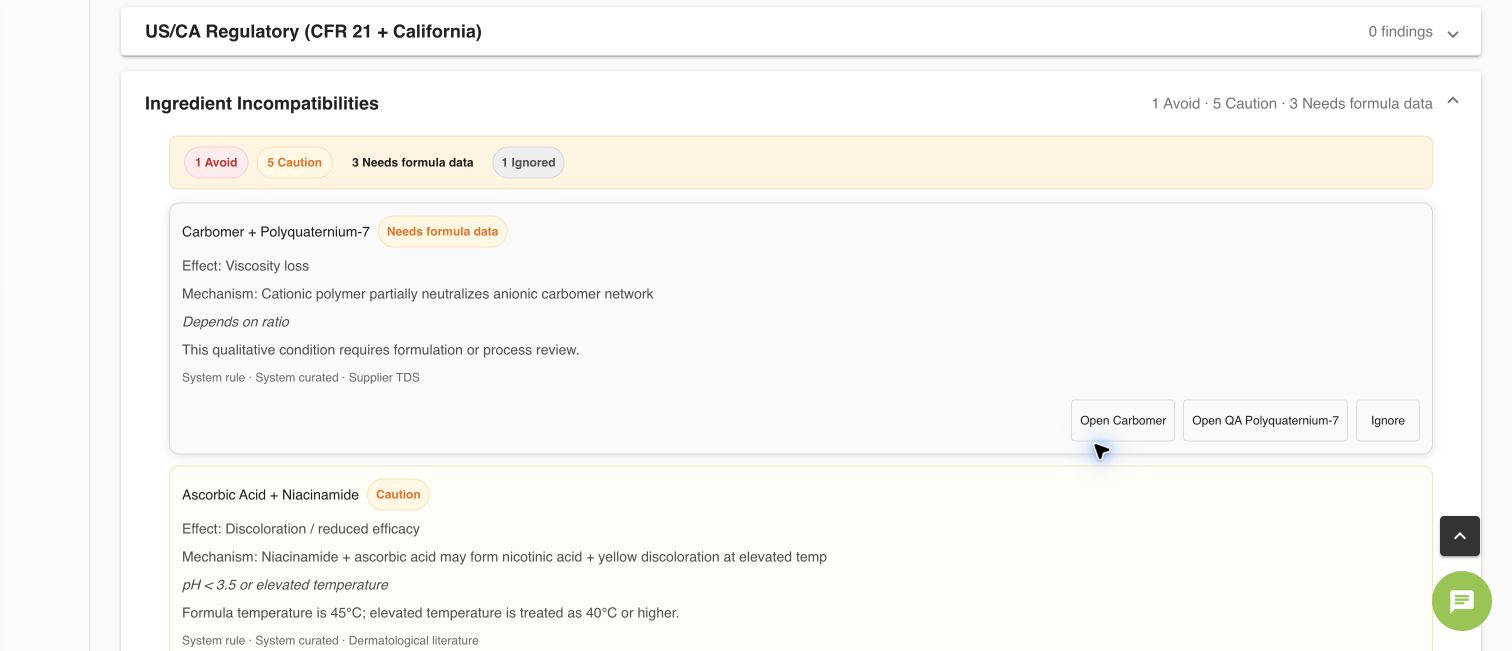
- Open Formula → Compliance → Ingredient Incompatibilities. Read Avoid, Caution and Needs formula data separately.
- Expand a pair. Review Effect, Mechanism, Conditions, Source, system/workspace origin and verification status.
- Check the condition explanation against recorded pH, temperature and procedure. Missing or qualitative conditions can require review instead of a definite conflict.
- Use Open ingredient to inspect the source material. If necessary, correct the composition/process or change the formula, save and review again.
Record your own knowledge
Use the ingredient incompatibility section for a workspace-specific relationship, conditions and source. Keep unverified/user-defined rules distinct from curated evidence.
Check
Use Ignore only with a reason after review; it is a recorded decision, not proof that the pair is compatible. No known conflicts means no matching rule was found, not laboratory validation. The pictured QA formula is a deliberately problematic software example, not a recipe.
Worked examples in the application
Click any screenshot to read it at full size. All DEMO records are fictional local examples.
Expected result
Each unresolved pair has a clear next action and traceable evidence.