Lesson 13/18 — Keep the equipment register separate from formula requirements and actual batch use.
Before you start
Equipment identity, service records and applicable SOPs.
Register and maintain
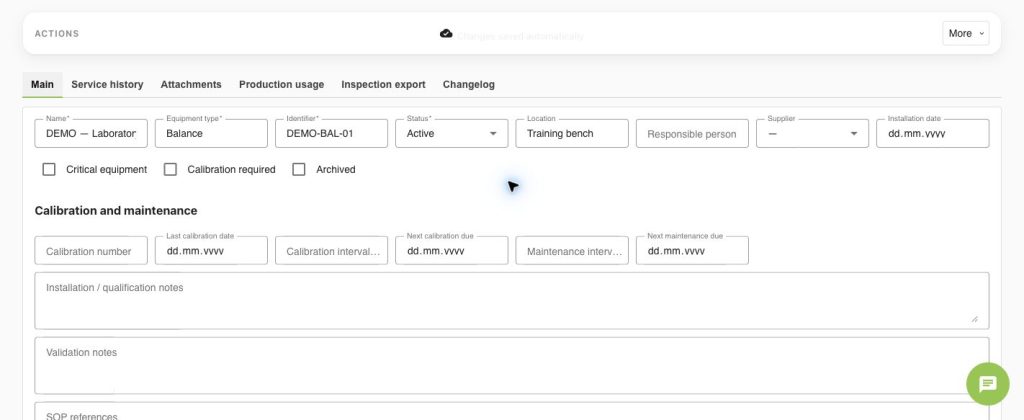
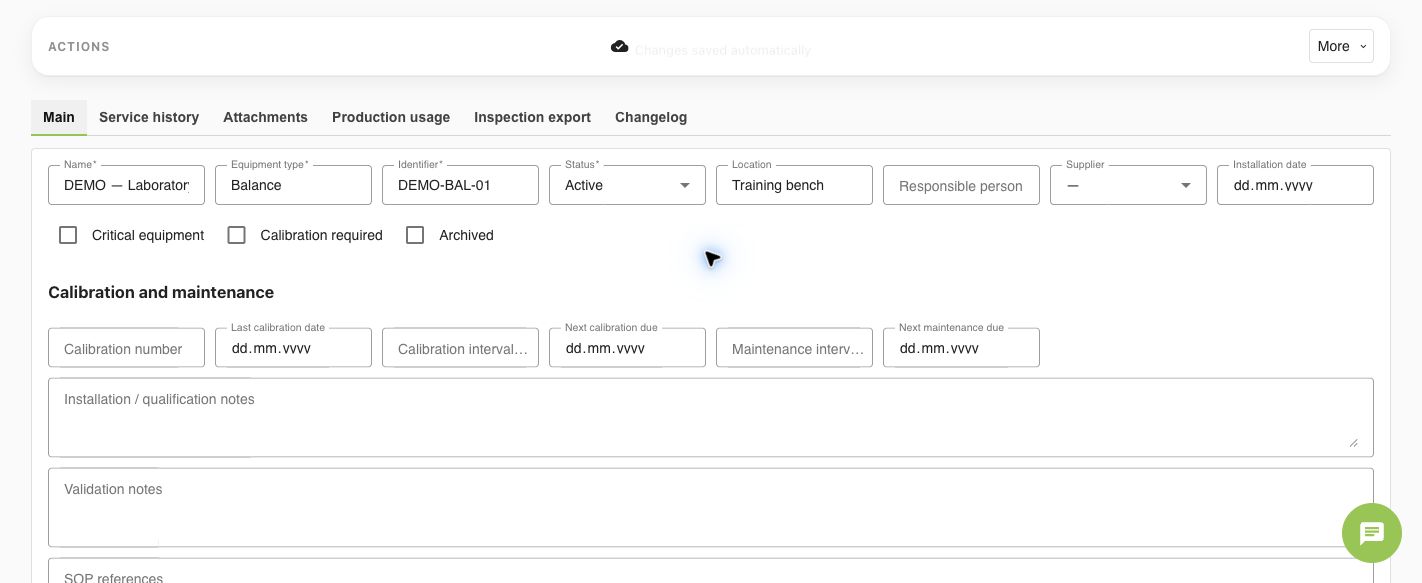
- Open Equipment → Add equipment. Enter Name, Equipment type, unique Identifier, Location, Responsible person and Status.
- Set Critical equipment and Calibration required only when applicable. Enter the actual calibration number, date, interval and next due date; record maintenance dates and SOP references.
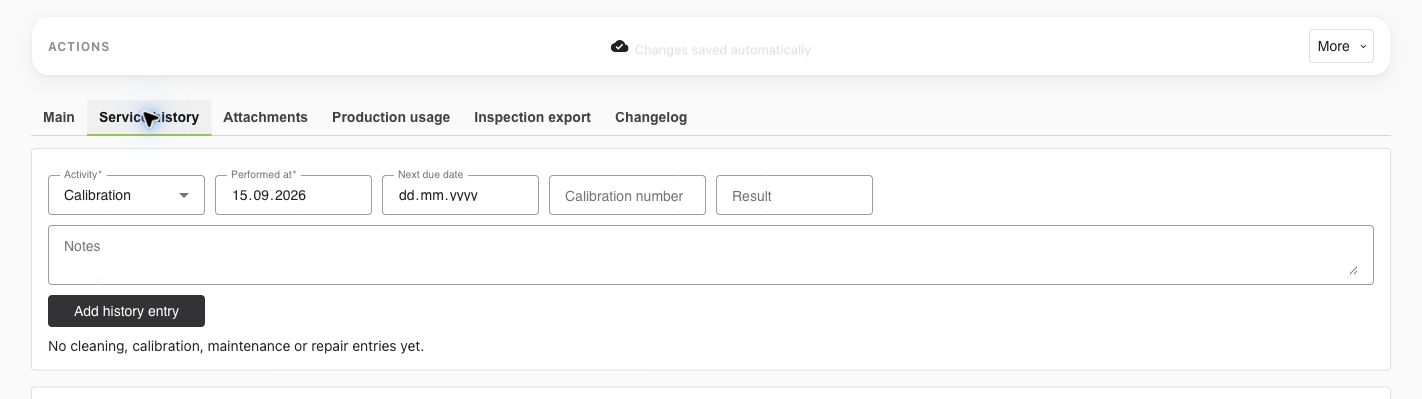
- In Service history, choose Cleaning, Calibration, Maintenance or Repair; enter the performed date, result, next due date and notes, then Add history entry.
- Use Attachments for supporting records. Review overdue, uncalibrated, unavailable and due-soon equipment; open Inspection export for the recorded equipment information.
Use it in a batch
- In the Formula, record equipment requirements. Save the controlled Formula Version/Product Version.
- In the Batch, select the equipment actually used and record suitability/process evidence. Requirements do not automatically prove actual equipment use.
- Review critical-equipment warnings before Done. A completed batch retains its recorded equipment snapshot/history; later equipment edits do not rewrite that production record.
Check
A saved equipment record or future due date is not a calibration certificate. The pictured DEMO balance has no claimed calibration or qualification.
Worked examples in the application
Click any screenshot to read it at full size. All DEMO records are fictional local examples.
Expected result
Equipment identity, service evidence, requirements and actual batch use are traceable.