Lesson 14/18 — Follow the recorded stock difference instead of deducting the same material twice.
Before you start
Premium/Enterprise inventory access, physical lots and a saved batch.
Apply from the batch
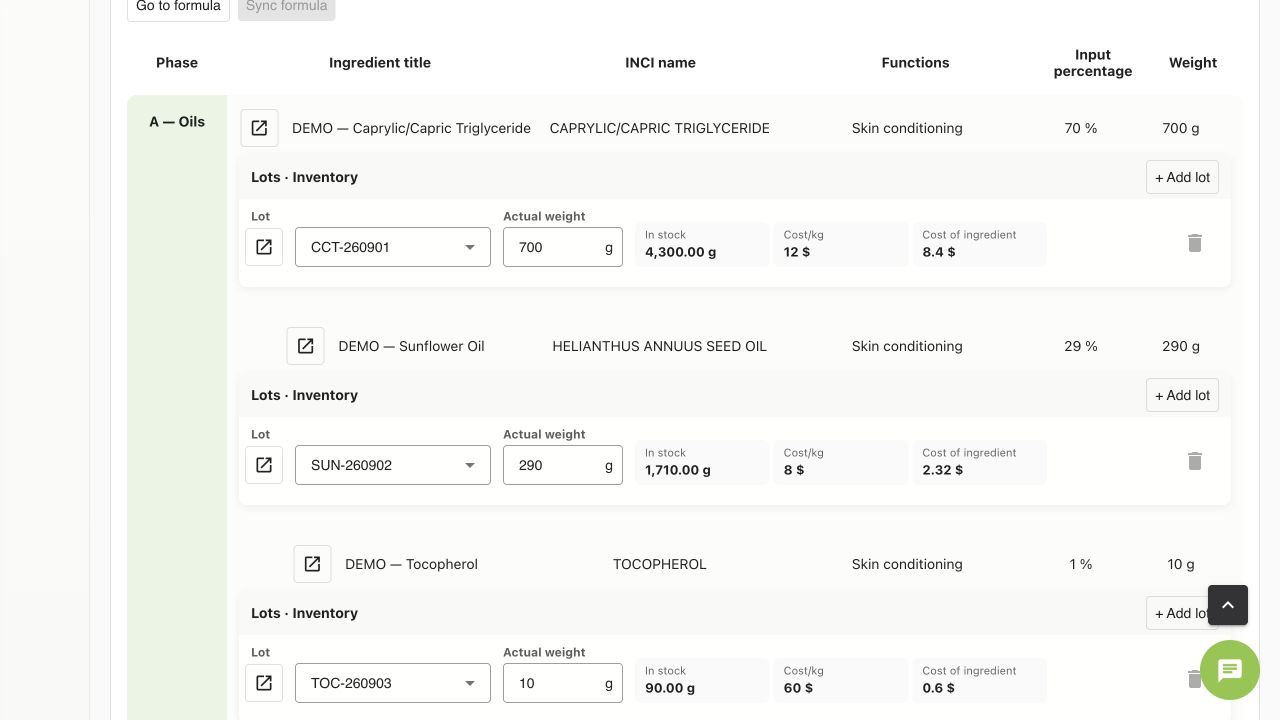
- In Batch → Formulation, select physical ingredient lots, actual weights and each lot’s Track inventory setting. In Packaging, enter selected packaging lots and actual pieces.
- Save the batch. Review required quantities, available stock and Applied/Partially applied/Not applied status.
- Where Apply inventory now is shown, apply the pending difference and verify the resulting stock. Done can also apply tracked stock; do not repeat the deduction manually. Insufficient stock must be resolved first.
Read and correct
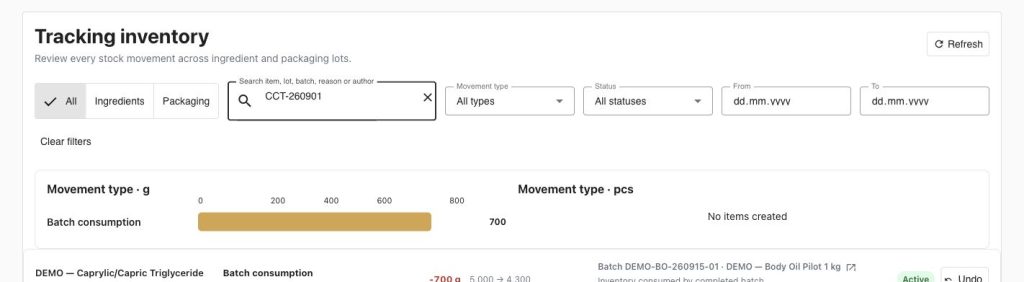
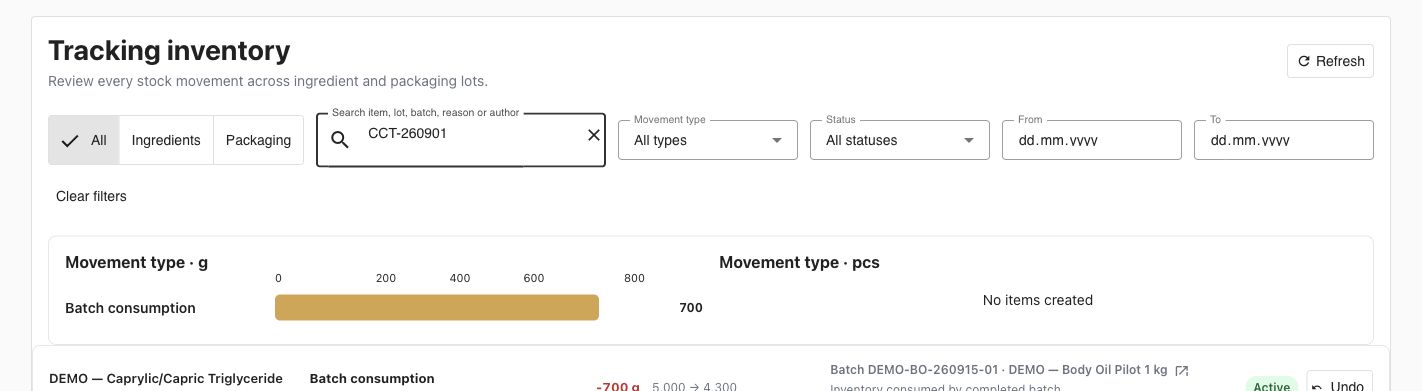
- Open Tracking inventory. Filter ingredient/packaging, lot or batch, dates, movement type and status. Open the linked batch to see why the movement happened.
- Example: CCT-260901 shows −700 g and 5000 → 4300 g. Packaging shows −20 pcs and 100 → 80.
- For a physical count, damage or correction, open the lot’s inventory section and use Adjust stock. Enter the new quantity, reason and optional comment; review the recorded movement.
- For a mistaken movement, use Undo, or Undo iteration/remaining in batch history where available. This records the opposite movement; history remains. Review the batch target afterward before applying stock again.
Finished-product stock
Open Product → Finished-batch stock. Check verified balances by unit; uninitialized batches are excluded. Link shipment movements when supported. Quarantine, disposition and returns belong to the finished-product workflow; historical documentary records may have no stock movement. Returned is cumulative, not an extra available-stock bucket.
Check
Editing a completed batch applies the difference for tracked quantities, not a second full consumption. Disabling tracking is not a general stock adjustment tool. Stock warnings and actual per-lot tracking depend on different plan permissions.
Worked examples in the application
Click any screenshot to read it at full size. All DEMO records are fictional local examples.
Expected result
Stock, batch target and movement history reconcile.