Lesson 2/18 — An Ingredient describes a raw-material grade. A supplier describes where it comes from. The physical delivery and its stock will be recorded as a lot in the next lesson.
Before you start
Lesson 1 completed; the intended workspace is selected.
Create your supplier
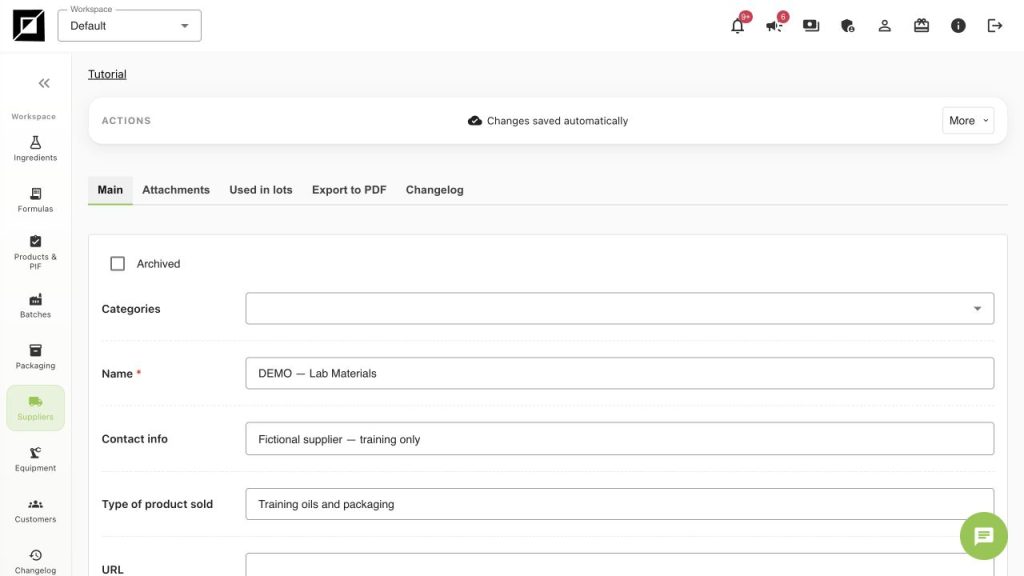
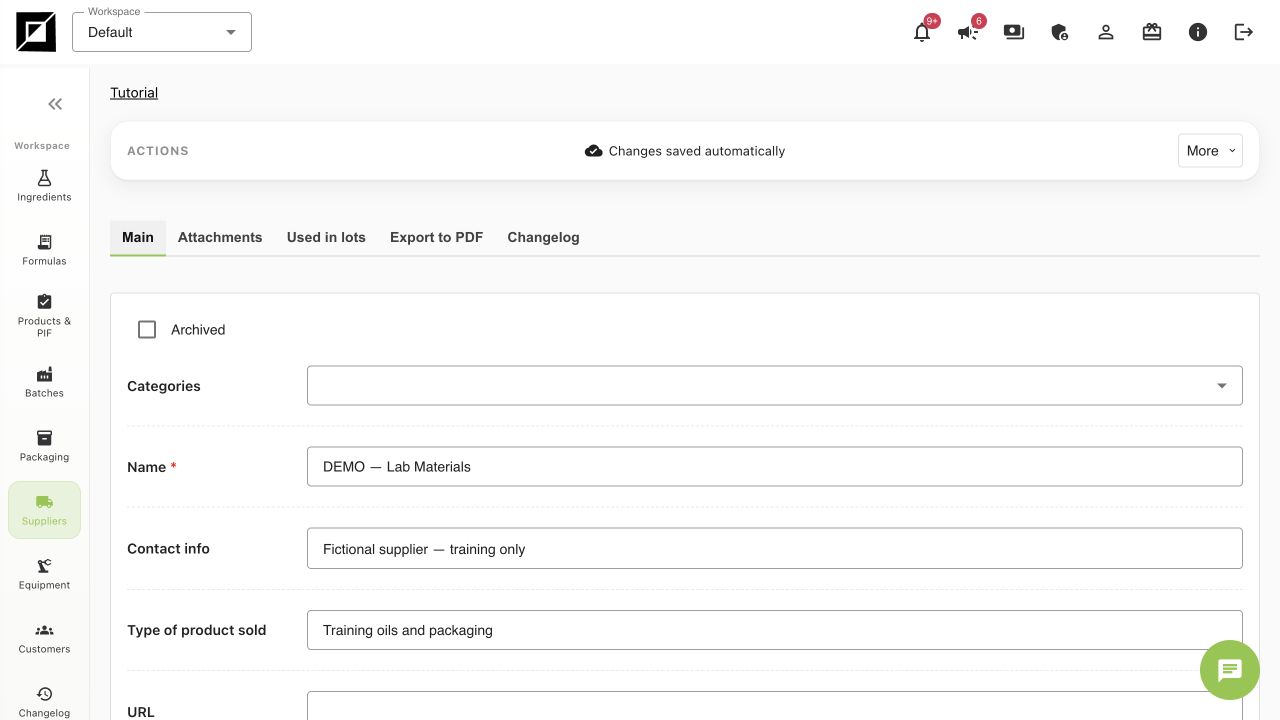
- Open Suppliers → Add supplier.
- Enter DEMO — Lab Materials in Name. Enter “Fictional supplier — training only” in Contact info and “Training oils and packaging” in Type of product sold.
- Use Comment for purchasing context or document references. The DEMO supplier has no real contact address.
- Wait for Changes saved automatically. Open the saved record again and confirm the name. Its Used in lots tab will become useful after deliveries are linked.
Create the first Ingredient
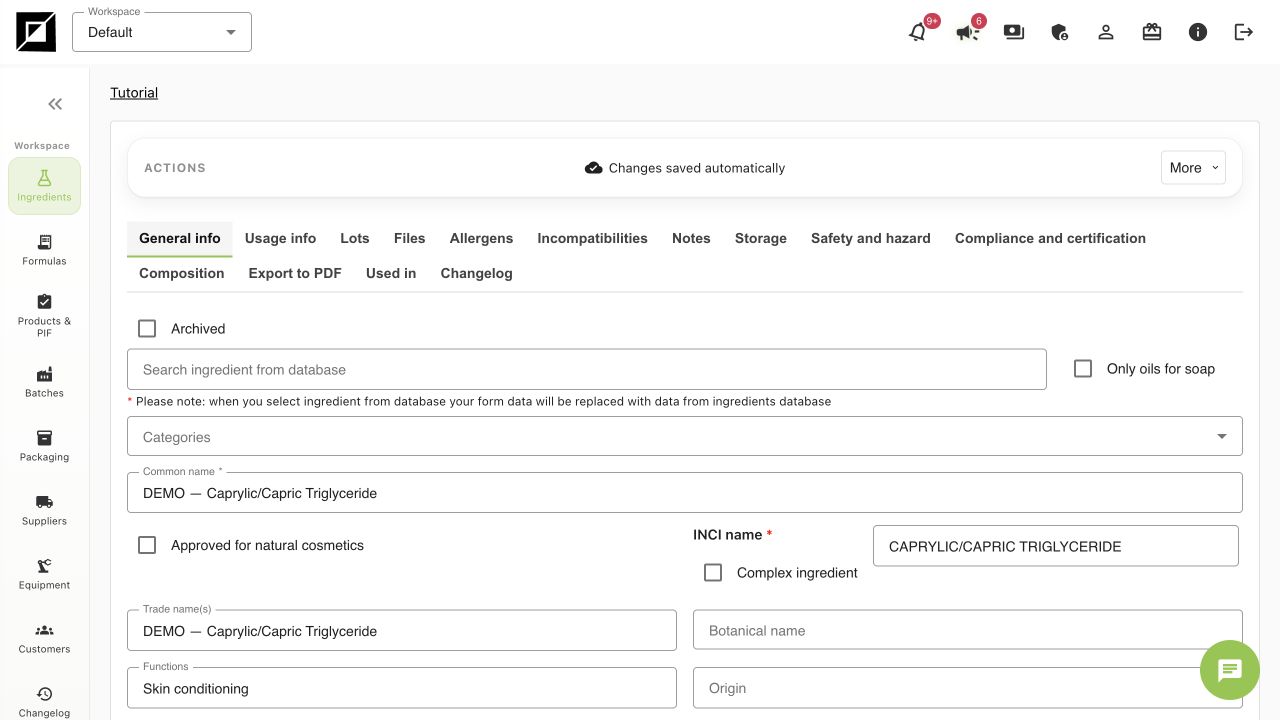
- Open Ingredients → Add ingredient.
- Use Common name and Trade name(s) to identify the exact grade, e.g. DEMO — Caprylic/Capric Triglyceride. Enter CAPRYLIC/CAPRIC TRIGLYCERIDE as its INCI.
- For this simplified exercise the raw material has one INCI at 100%. If your purchased material is a blend, select Complex ingredient and enter the supplier-declared composition. Do not treat a diluted active or blend as 100% of its headline ingredient.
- Fill functions, appearance, solubility, storage and usage fields only from evidence for the actual supplier grade. Do not guess missing properties.
- If you select Search ingredient from database, review the record first: the screen warns that selection replaces form data. Reference data is a starting point, not confirmation of your purchased grade.
- Use Files for supporting supplier documents when the plan permits uploads. Use Notes for gaps and questions. Wait for the autosave confirmation before leaving.
Repeat with the remaining two materials
| Practice trade name | Simplified INCI | Supplier composition |
|---|---|---|
| DEMO — Sunflower Oil | HELIANTHUS ANNUUS SEED OIL | 100% |
| DEMO — Tocopherol | TOCOPHEROL | 100% |
Do not mix up composition and formula dosage
The 100% composition here belongs to the raw-material record. In our finished formula, Tocopherol is dosed at 1%. If the actual supplied grade contains other components, use its real composition; the simplified training record is not a supplier specification.
Checkpoint and troubleshooting
- Search for DEMO in Ingredients and verify that all three records exist in the same workspace.
- Keep the trade name distinct from the INCI: one INCI may appear in several supplier grades.
- A saved Ingredient does not create inventory. Purchase quantity, cost and lot number belong to the physical lot.
- If a record does not appear in a later selector, check workspace, archive state and the saved status before creating a duplicate.
Worked examples in the application
Click any screenshot to read it at full size. All DEMO records are fictional local examples.
Expected result
One fictional supplier and three distinguishable Ingredient records are available for the formula. No stock has been assumed from creating the catalogue records.